⫶ On this page
Angel Blessing Cards App
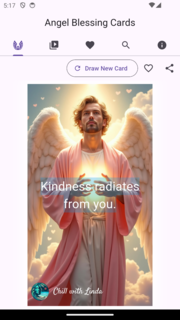
Fetching the YouTube playlist
The app content comes from a YouTube playlist. This tool fetches the playlist via the YouTube Data v3 API and downloads all thumbnails concurrently. Set playlist_id and api_key in config.toml.
use anyhow::Result;
use clap::Parser;
use futures::future::try_join_all;
use serde::{Deserialize, Serialize};

use youtube::{GoogleAPIRequest, YouTubeDataV3Client, initialize_client};

mod config;
use crate::config::read_config_from_toml;

#[derive(Parser)]
struct Cli {
    output_path: std::path::PathBuf,
}

#[derive(Serialize, Deserialize, Debug)]
struct AngelVideo {
    title: String,
    thumbnail: String,
    position: usize,
    video: String,
}

#[derive(Serialize, Deserialize, Debug)]
struct AngelVideos {
    videos: Vec<AngelVideo>,
}

#[tokio::main]
async fn main() -> Result<()> {
    let args = Cli::parse();
    let config = read_config_from_toml("config.toml").expect("config.toml error");

    let client = initialize_client()?;
    let mut youtube_client =
        YouTubeDataV3Client::new("youtube.googleapis.com".to_string(), client).await;

    let playlist = youtube_client
        .list_playlist_items(config.api.playlist_id, None, None)
        .with_key(&config.api.key)
        .send()
        .await?;

    let videos: Vec<AngelVideo> = try_join_all(playlist.items.iter().map(|v| async move {
        let url = v.snippet.thumbnails.default.as_ref().unwrap().url.clone();
        let video_id = v.snippet.resource_id.video_id.clone();
        let thumbnail = format!("{}.jpg", video_id);
        let bytes = reqwest::get(url).await?.bytes().await?;
        tokio::fs::write(&thumbnail, &bytes).await?;
        Ok::<AngelVideo, anyhow::Error>(AngelVideo {
            title: v.snippet.title.to_string(),
            thumbnail,
            position: v.snippet.position as usize,
            video: video_id,
        })
    }))
    .await?;

    let json = serde_json::to_string_pretty(&AngelVideos { videos })?;
    std::fs::write(args.output_path, json).expect("unable to write file");
    Ok(())
}
Converting images to WebP
Images are converted to WebP in parallel using Rayon.
use image::ImageFormat;
use rayon::prelude::*;
use std::path::PathBuf;

fn convert_to_webp(paths: Vec<PathBuf>) {
    paths.par_iter().for_each(|path| {
        let img = image::open(path).expect("failed to open image");
        let out = path.with_extension("webp");
        img.save_with_format(out, ImageFormat::WebP)
            .expect("failed to save webp");
    });
}